Digital Fatigue Basics
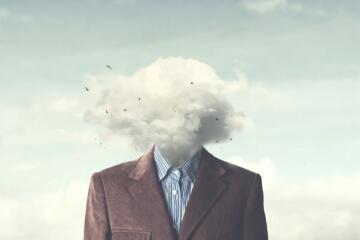
Digital fatigue is the strain you feel after repeated screen time, frequent attention switching, and ongoing notification monitoring. It often shows up as slower thinking, irritability, headaches, dry eyes, and a sense that rest does not fully reset your focus.
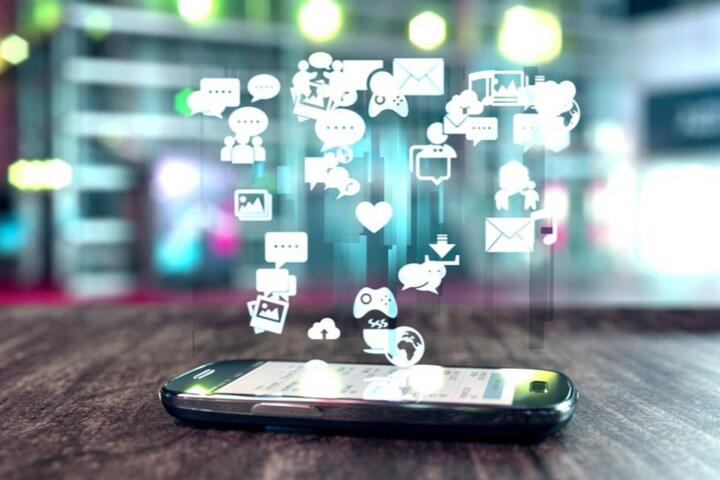
Two mechanisms tend to drive the experience. One is visual and musculoskeletal strain from sustained near work, glare, and reduced blink rate. The other is cognitive load from task switching, short bursts of information, and the “always-on” expectation created by messaging apps and email.
For example, a typical workday might include 20–40 notification events, multiple chat threads, and frequent tab switching. Even when each task takes only a few minutes, the brain spends time re-orienting to context. That re-orienting cost accumulates, and it rarely feels like a single “big” problem.
Another common pattern is late-day scrolling. When you keep reading after your body expects wind-down, sleep onset can shift later, and the next day’s fatigue becomes harder to manage. On my own phone, I noticed this most clearly after I turned on iOS Screen Time in iOS 17.3; the “late-night” category was consistently higher than my self-report.
Main Pain Points And Myths
People often treat digital fatigue as a pure “screen time” issue, then miss the real drivers: attention switching, interruption frequency, and low-quality recovery. A day with fewer hours can still feel draining if it includes constant message pings and rapid context changes.
Another mistake is assuming that turning off notifications solves everything. Notifications are only one input. The bigger problem can be the habit of checking messages “just in case,” which trains your attention to expect new information. That expectation can keep your stress system slightly activated even when nothing urgent arrives.
Supporting technologies shape the experience. Push notifications depend on app permissions and background activity; email clients often refresh frequently; and browsers keep multiple tabs “alive,” which encourages jumping between tasks. Autoplay in video feeds and infinite scroll also reduce the natural stopping cues that help you disengage.
Some people also underestimate how recovery works. Breaks that involve more screens can delay recovery because the brain stays in the same attention mode. A walk without headphones, a short stretch, or a few minutes of looking far away tends to reset visual strain more reliably than another feed refresh.
Finally, fatigue can be mistaken for motivation problems. When your attention is repeatedly interrupted, you may feel “unwilling” to start tasks that are actually cognitively expensive. That mismatch leads to more checking, more avoidance, and a loop that feels personal but is mostly behavioral.
Solutions And Advice
Set Notification Boundaries
Start with a simple rule: separate “urgent” from “everything else.” On most phones, you can create Focus modes (iOS Focus, Android Focus/Do Not Disturb) and allow only specific contacts or apps during work hours. Then schedule two or three message windows instead of checking continuously.
A realistic target is reducing notification checks from dozens per day to a few intentional sessions. If you currently check every 5–10 minutes, try a 30–60 minute window for one week. Use the built-in notification summary where available, since it batches alerts and reduces interruption frequency.
Tool examples: iOS Focus modes, Android Do Not Disturb schedules, and email client “inbox rules” that route newsletters to folders. I once tested a Gmail filter that moved marketing emails to a “Read Later” label; the reduction in micro-interruptions was noticeable within two days, even though total screen time stayed similar.
Use Short Recovery Rituals
Recovery needs a break from near-focus and attention switching. A practical approach is a brief “reset” every 60–90 minutes: stand up, look at something far away for 20–30 seconds, and do 30–60 seconds of gentle shoulder and neck movement. This targets visual strain and muscle tension without requiring a full stop.
For eyes, consider a blink-friendly routine. Dry eye often worsens when people stare at screens with fewer blinks. Keeping brightness near ambient levels and using a slightly larger font can reduce squinting and the urge to lean closer.
For attention, use a “close the loop” habit. When you finish a task, close the tab or app and write a one-line next step. That reduces the mental residue that makes you reopen the same thread repeatedly.
Design Your Screen Environment
Small display changes can reduce strain. Increase text size, reduce glare, and keep the screen at a comfortable distance. If you use a laptop, raising it to eye level often helps neck posture more than changing brightness alone.
Adjust color temperature and night modes based on your tolerance. Blue-light reduction can help some people feel less alert at night, but it does not replace a consistent sleep schedule. If you use “night shift” or similar features, test it earlier in the evening rather than right before bed.
Browser behavior matters too. Turn off autoplay, reduce push prompts, and consider using a single-tab workflow for work. Tools like browser extensions that block distracting sites can help, but the habit of checking “just one more” still drives fatigue when the block is too easy to bypass.
Change Communication Habits
Digital fatigue often comes from constant coordination. Replace “always-on” messaging with clear expectations. For example, set a rule that chat messages receive replies within a defined window, while urgent issues use a separate channel or a call.
Use message templates to reduce back-and-forth. A short structure like “Context → Request → Deadline” reduces the number of messages needed to complete a task. Fewer messages means fewer interruptions, even if you keep the same tools.
When you schedule meetings, include an agenda and a decision point. Meetings without a decision point can extend attention demands and increase the urge to check other tabs during the session.
Case Examples
Example 1: Remote Work Loop
An anonymized remote worker reported fatigue after switching between Slack, email, and a shared task board. Their screen time stayed around the same, but their attention switching felt constant. They changed three things: turned off non-urgent notifications, checked messages at 10:30 and 15:30, and used a single “task board” tab for 60-minute blocks.
After one week, they described fewer “start-stop” moments and less irritability mid-afternoon. They still felt tired at the end of the day, but the fatigue felt more like normal workload rather than constant mental noise.
Example 2: Evening Scrolling And Sleep
An anonymized student noticed that late-night scrolling increased the time to fall asleep. They kept the same bedtime, but stopped using the phone for the last 30 minutes by charging it outside the bedroom. They also replaced feed scrolling with a short reading app that did not autoplay.
Within about a week, they reported earlier sleep onset and less morning grogginess. The improvement was not instant; the first two nights were harder because the habit cue remained. After the cue weakened, the fatigue pattern shifted.
| Habit Change | What You Do | What Improves | What To Watch |
|---|---|---|---|
| Notification windows | Check messages 2–3 times daily; silence non-urgent alerts | Fewer interruptions, lower cognitive switching | Urgent needs may require a separate exception list |
| 60–90 minute reset | Look far away 20–30 seconds; stretch neck/shoulders | Less visual strain and muscle tension | If you feel dizzy, shorten the stretch and stop |
| Single-tab work | Use one tab for the active task; close after finishing | Less mental residue and fewer “reopen” loops | If you rely on multiple references, keep them in a single folder |
| Evening phone boundary | Charge outside bedroom; stop feed autoplay | Earlier sleep onset and less next-day fatigue | Habit withdrawal can last several nights |
Common Mistakes
One mistake is changing many settings at once. When fatigue improves, you cannot tell which change mattered, and you cannot repeat the right behavior. Pick one habit for a week, then adjust the next lever.
Another mistake is relying on “screen time” totals alone. A person can reduce hours while still switching attention constantly through notifications and multitasking. Track interruption frequency or the number of message checks instead, since that better matches the fatigue mechanism.
Some people also overcorrect by going fully offline. That can backfire when work or safety requires quick access. A better approach uses boundaries with exceptions, such as allowing specific contacts during Focus mode.
People sometimes use blockers but keep the same cue. If the cue is boredom, the brain still seeks stimulation, and it may switch to another app that is not blocked. Removing the cue can matter more than blocking the content.
Finally, fatigue can overlap with medical issues like migraine, dry eye disease, or sleep disorders. If symptoms include persistent eye pain, vision changes, or severe headaches, a clinician evaluation is appropriate rather than treating it as a pure habit problem.
FAQ
How long does digital fatigue last?
It varies by cause. Visual strain often improves within hours after reducing near work, while attention-related fatigue can take days to settle if interruption habits remain. Sleep disruption can extend the effect into the next several days.
Do notification settings reduce fatigue?
They can, when they reduce interruption frequency and “checking” behavior. Turning off alerts helps most when you also stop the automatic habit of opening apps to see if anything changed.
Is dark mode better for eyes?
Dark mode can reduce perceived brightness for some users, but it does not automatically prevent eye strain. Contrast, glare, and text size matter more than the color theme alone.
What is a realistic first change to try?
Choose one communication boundary: schedule two message check windows and silence non-urgent notifications during the rest of the day. After one week, adjust based on whether interruptions dropped and whether focus felt steadier.
When should I seek medical advice?
Seek advice for persistent eye pain, new vision changes, severe or worsening headaches, or symptoms that do not improve after reducing screen strain and improving sleep. Fatigue can also relate to sleep disorders or migraine patterns.
Author's Insight
Digital fatigue sits at the intersection of vision strain, attention switching, and sleep timing. The most reliable habit changes target interruption frequency and recovery quality, not just total screen hours. Small environmental tweaks like font size, glare control, and a consistent “phone boundary” at night can reduce strain without removing useful tools.
Evidence from ergonomics and sleep research supports the idea that breaks and sleep regularity affect how people feel the next day, though individual responses vary. If symptoms persist, the safest next step is a clinician or optometrist evaluation to rule out dry eye, refractive issues, or migraine-related patterns.
Key Takeaways
- Digital fatigue often comes from attention switching and interruption habits, not only screen duration.
- Use notification windows and message expectations to reduce micro-interruptions.
- Take brief resets every 60–90 minutes to reduce visual and neck strain.
- Improve sleep timing by setting a phone boundary in the last part of the evening.
- Change one habit at a time for a week so you can tell what actually helps.